
A news anchor for Buhay Ai facebook page
Retro style posters for social media.
a short Recruitment Video for a company
A one‑minute vertical short clip, narrated by Claude.
An all-in-one app that helps you track your peptide routine with confidence.
HTML/CSS Bootstrap coding workflow using AI assistance.
A quick prompt and comparison of Lovable, Bolt and Vercel
Short awareness clip on hearing impairment
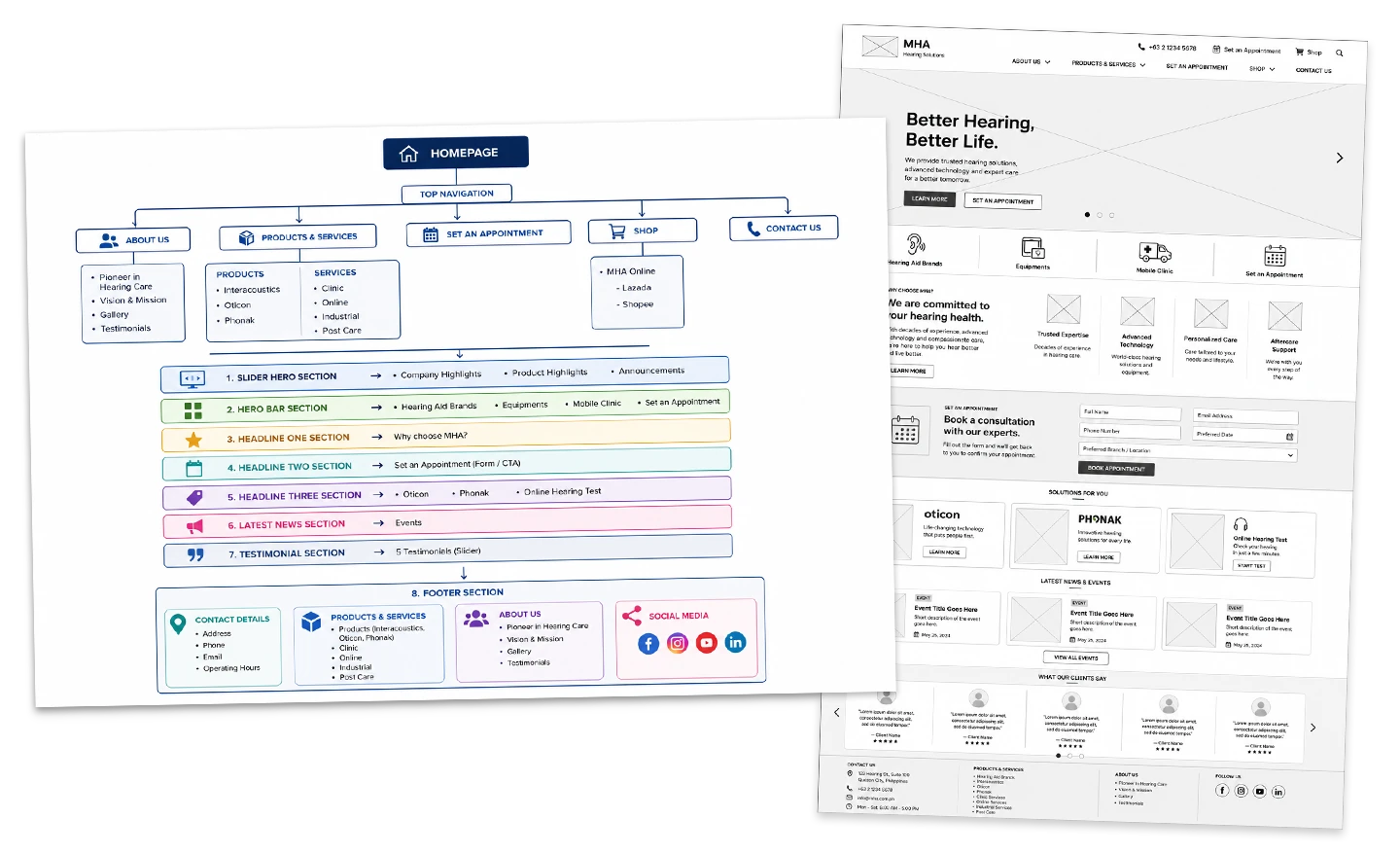
PLANNING & STRUCTURE
- Gathered data from the old website.
- Created a sitemap, flowchart, and
wireframe to establish the site’s
structure and user flow. →
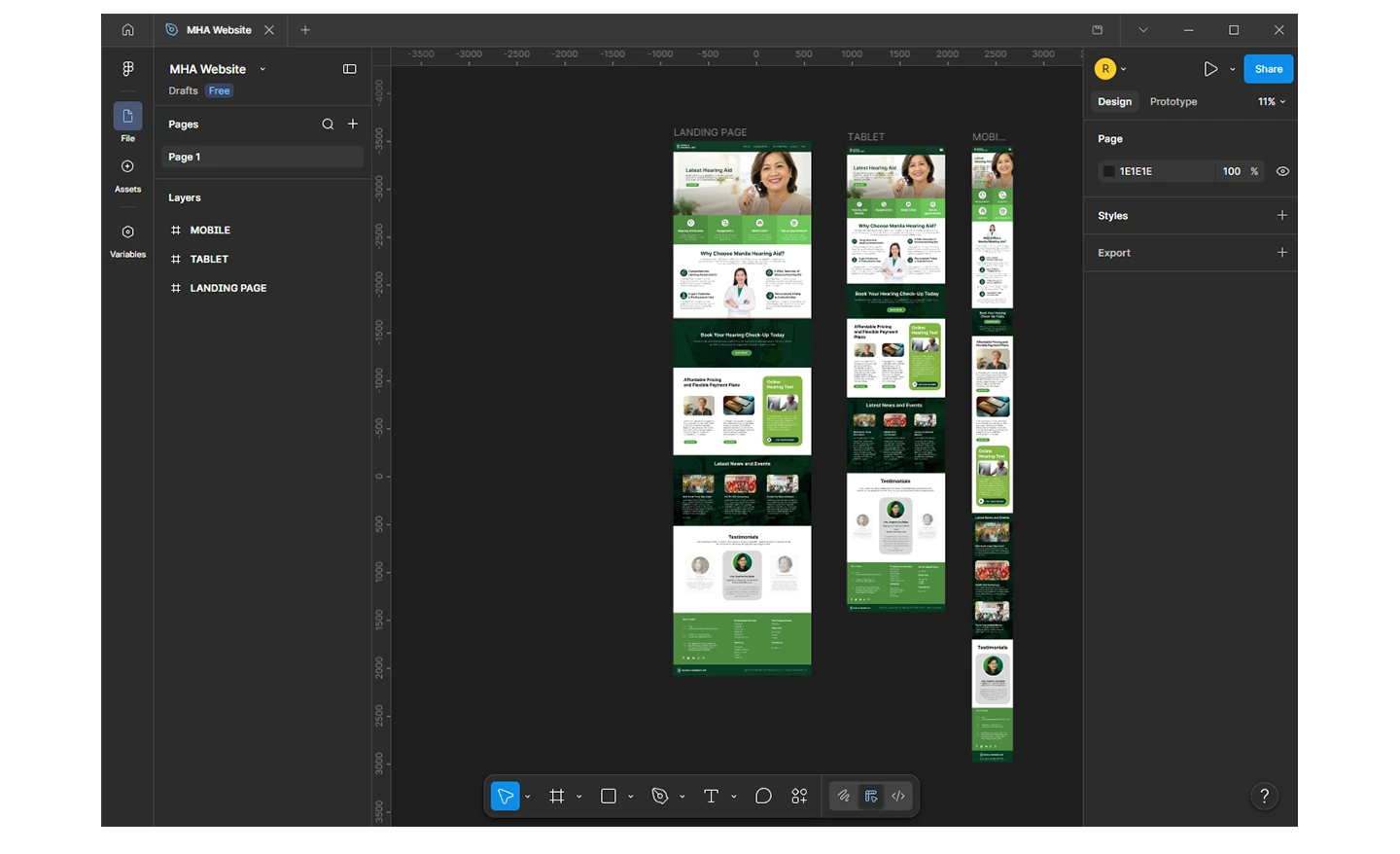
DESIGN PHASE
Built responsive layouts in Figma for
desktop, tablet, and mobile. →
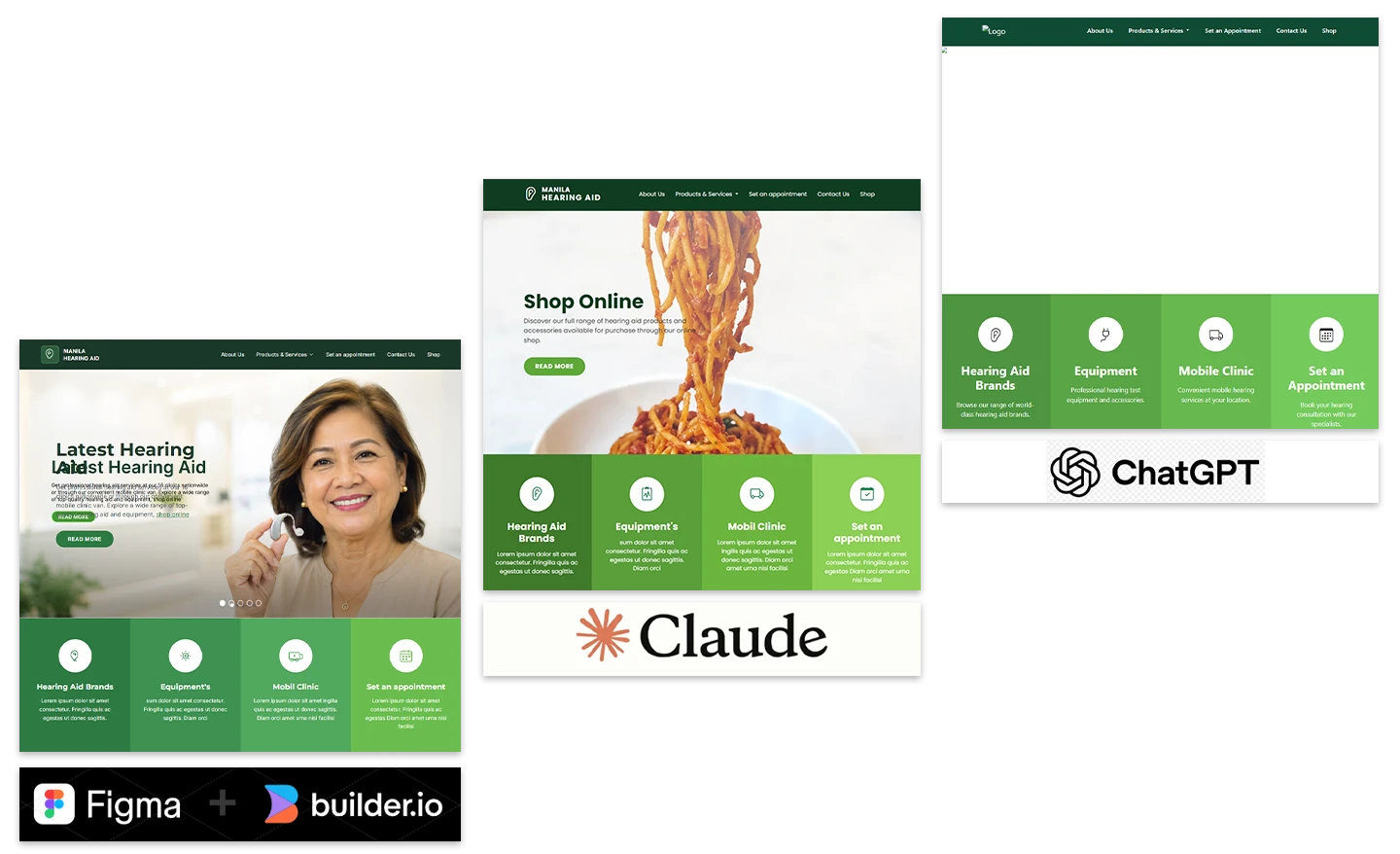
AI‑ASSITED CONVERSION
- Experimented with different AI tools
to convert Figma designs into HTML
using Bootstrap CSS, working
section by section (starting with
the header and slider). - Figma + Builder.io → Too
time‑consuming, with jerky
conversion results. - Claude → Code quality was
unsatisfactory; slider functionality
failed. - ChatGPT → Best results. Successfully
converted sections of the page
into clean HTML + Bootstrap CSS.
In the links below are the initial results
I tested:
→
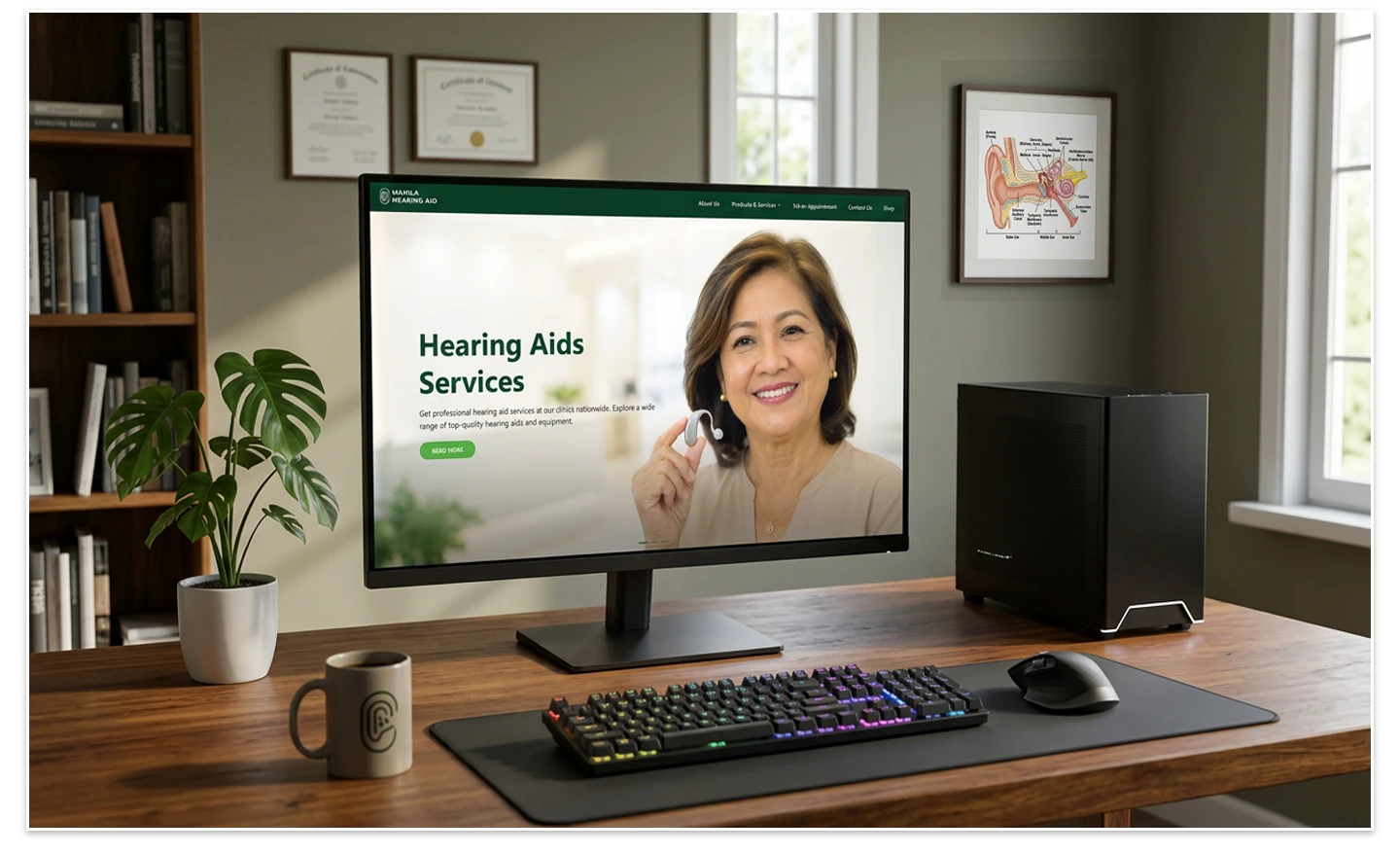
FINAL OUTCOME
While not perfect, the ChatGPT‑assisted
workflow produced a full‑page HTML +
Bootstrap CSS version that closely
matched the Figma design.
This approach allowed faster iteration
and refinement compared to other tools.
Here is the full page layout
Landing Page
You may also view here the
ChatGPT Conversation
PROMPT WORKFLOW
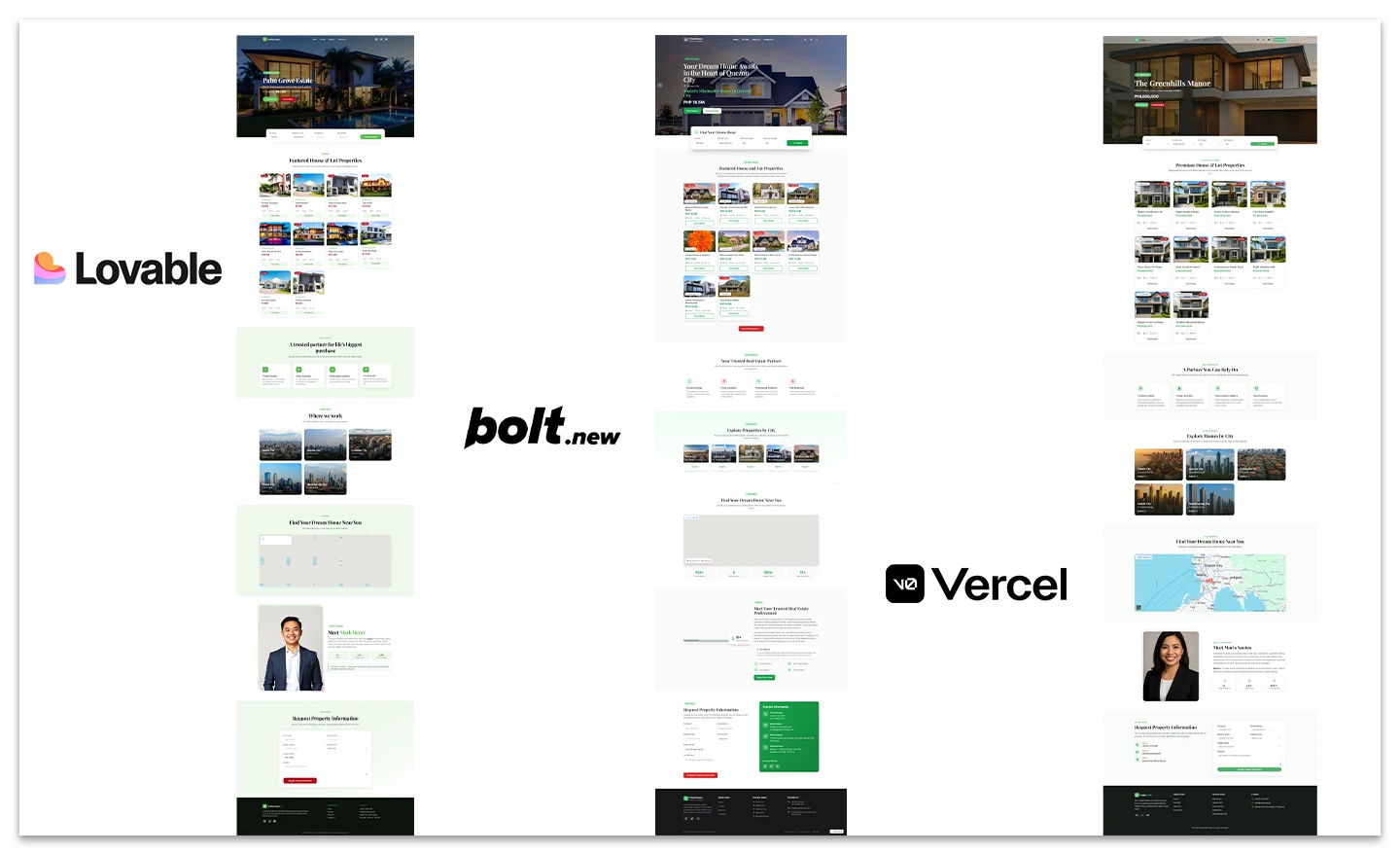
I began by explaining to ChatGPT the type
of website I wanted to build. From that
discussion, I asked it to generate a prompt
tailored to my needs. Once I had the
prompt, I fed the exact same command
into three different platforms — Lovable,
Bolt, and Vercel — to compare the outputs.
My goal was to see how each tool
interpreted the same instructions and what
kind of results I would get across different
environments.. →
FINAL OUTCOME
I wasn’t surprised by the results themselves,
but rather by how similar the designs looked
across platforms. Each output felt like a
template, with only minor variations.
WHAT I LEARNED (via ChatGPT)
The similarity comes from the fact that
many of these tools converge on the
same foundations:
- Shared foundation models
- Modern UI patterns that dominate
current design trends - Training examples drawn from GitHub,
Dribbble, Tailwind UI etc. - Standardized Prompting techniques
KEY DIFFERENCES
- Lovable → Stronger at building
full applications and CRUD systems - Bolt → More effective for coding
and debugging workflows - v0 → Delivers better UI polish
WEB PAGE LINKS
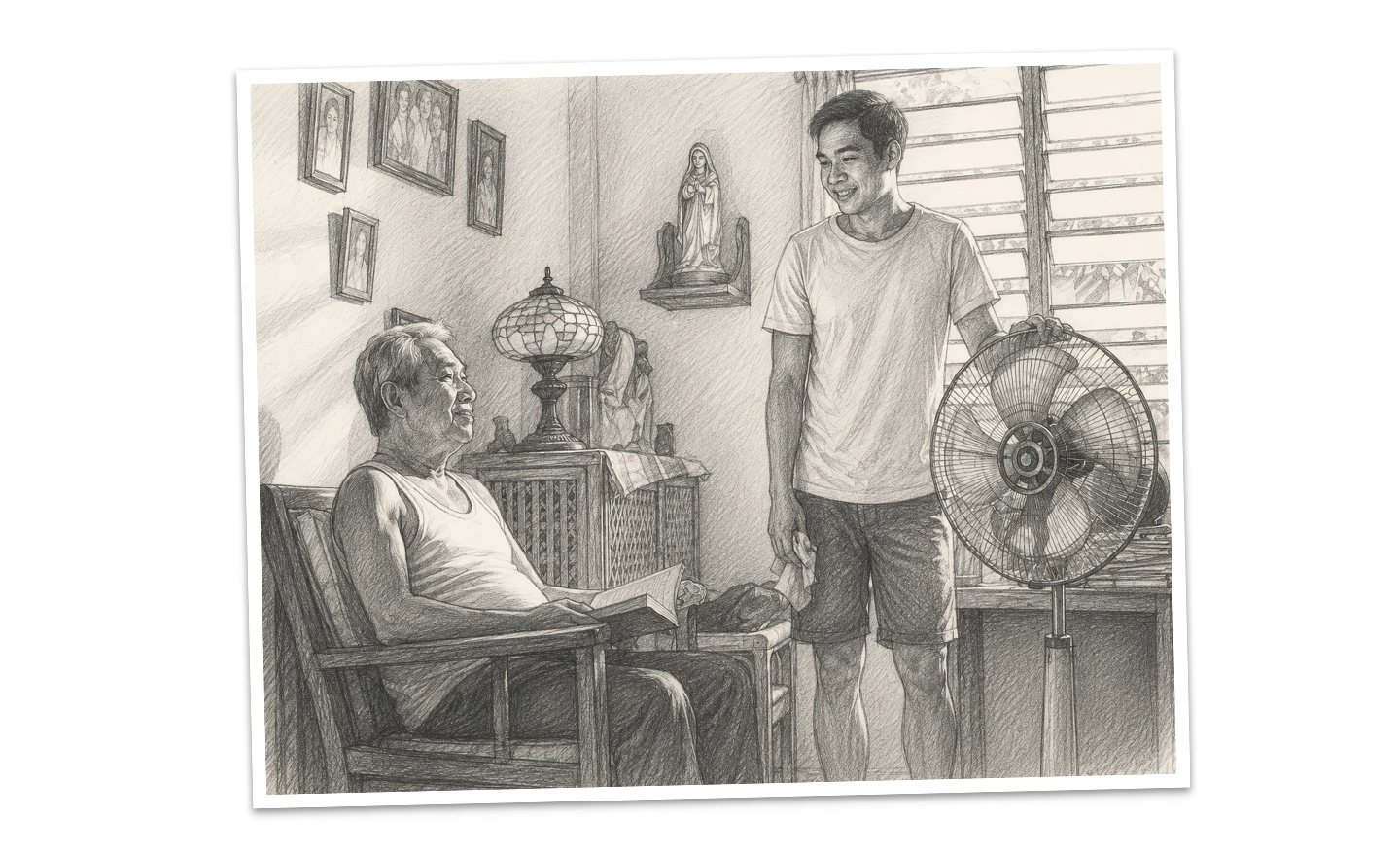
The story centers on a Father and Son
during Father’s Day. The son eagerly
tries to greet his dad with a heartfelt
“Happy Father’s Day.” However, because
his father is hearing-impaired, he
misinterprets the words—thinking
his son is simply asking about breakfast.
What was meant to be a warm moment
turns into a gentle but painful miscommunication.
In the end, the son feels awkward and
quietly saddened, his intended message
of love left unheard.
This was my first attempt using
Google’s Veo 3 since its release.
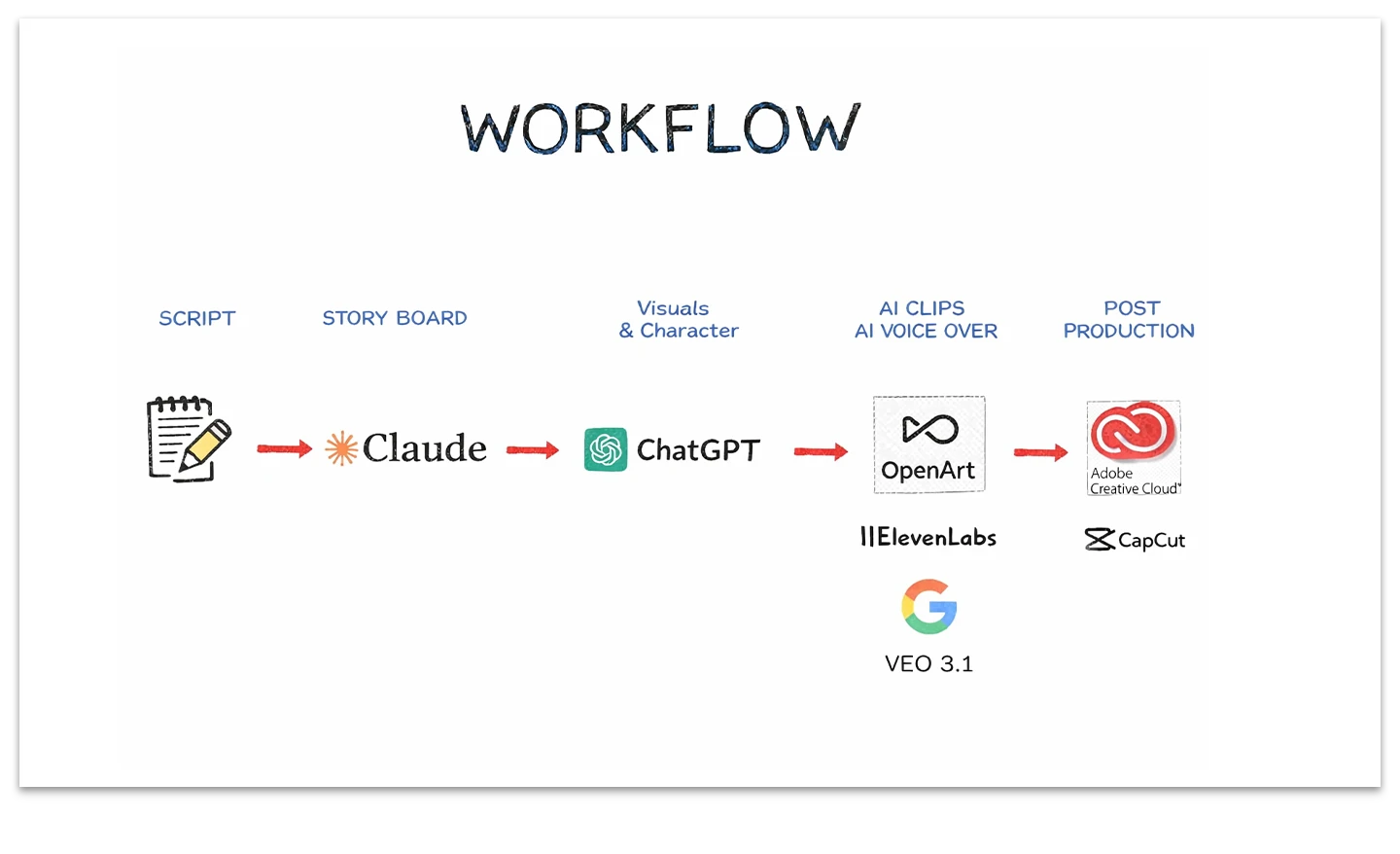
This is my current workflow.
1. Claude provides the storyboard.
2. ChatGPT for all the visuals.
3. ElevenLabs for the voice over.
4. OpenArt for generating the
video for the main character
5. Goole Veo for the B-rolls
6. Adobe Premiere Pro for post
production, CapCut is my 2nd option →
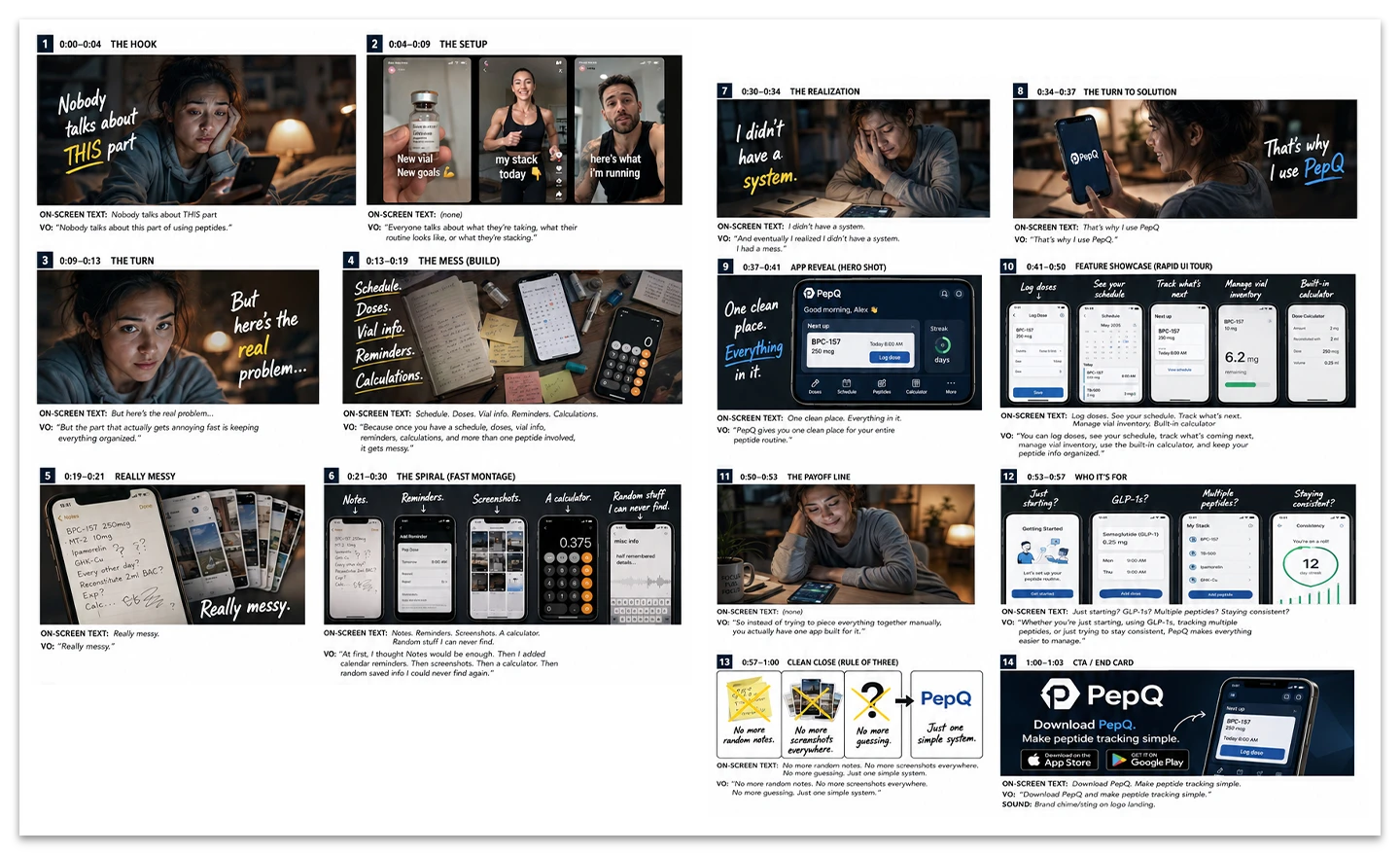
After Claude finishes the
storyboard, I pass it to ChatGPT
to create the visuals —
and here’s the result.
→
I let ChatGPT design the characters,
scenes, and other visuals. Then I
used ElevenLabs for the voice-over,
OpenArt.ai and Veo for the clips,
and edited everything in Premiere
Pro. Here are the results. →
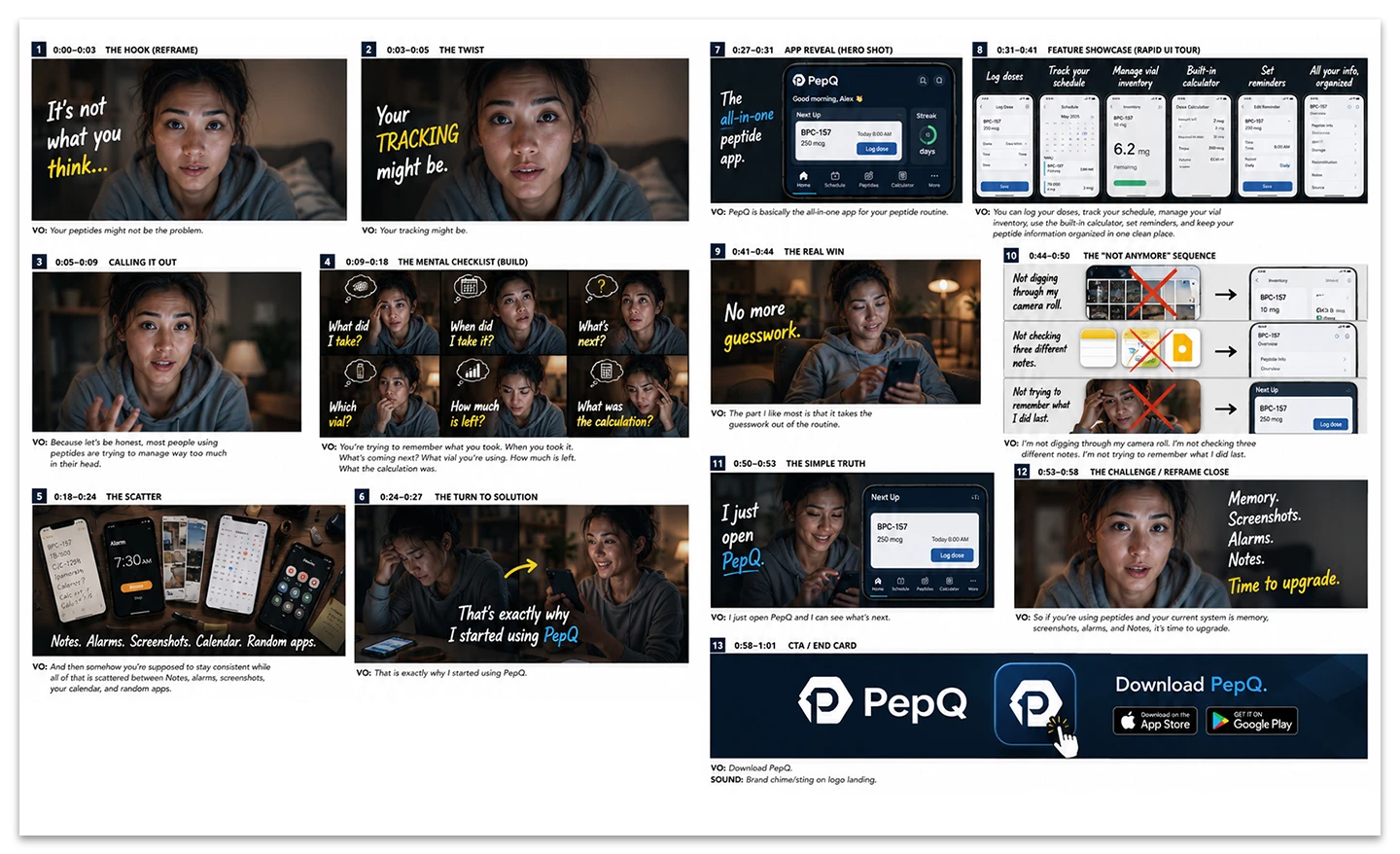
Here is the Storyboard for 2nd script.
→
Here are the final outputs.
Final Thoughts:
With limited resources like
tokens, I realized I can only
produce and retake a few clips.
Next time, I’ll spend more time
refining the storyboard before
moving on to image generation.
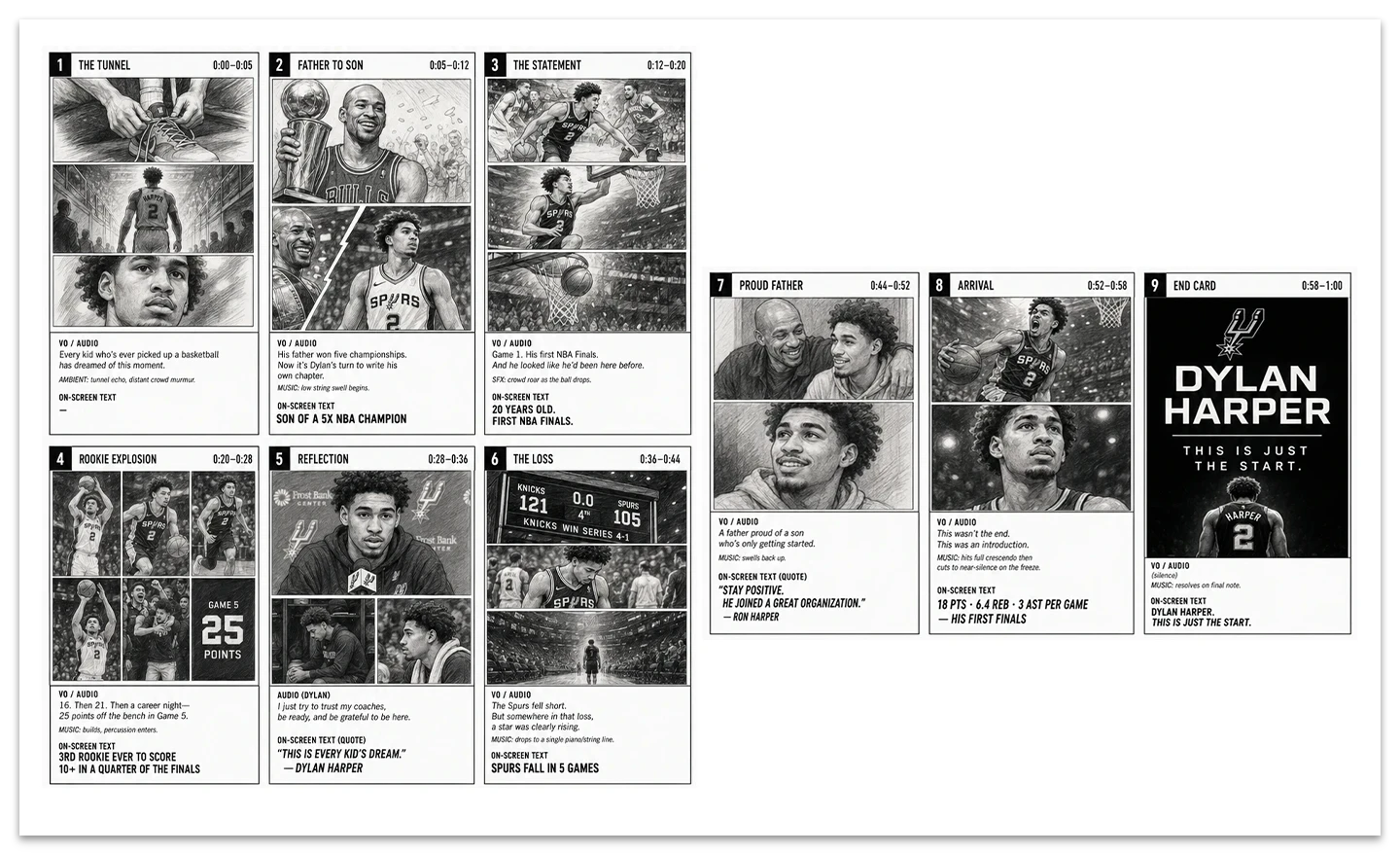
I asked Claude to craft a
one‑minute storytelling piece
about Dylan Harper, tracing
his journey from joining the
Spurs to reaching this year’s
championship finals.
As part of my workflow:
- Claude handles the storytelling.
- ChatGPT creates the visuals
for the storyboard. - ElevenLabs provides the voiceover.
- Premiere Pro (post production)
→
For the final result, I gathered as
many materials as possible.
In the end, I realized that no
matter how strong the storyboard
is, lacking sufficient visual assets
can lead to poor quality output
—such as mismatched visuals
or low‑resolution clips.
This version is for demonstration
purposes only, so I didn’t spend
time fixing those issues.
I experimented with a vintage-style
poster in collaboration with
ChatGPT, exploring multiple
illustration trials. I built the
template in PSD and developed
brand guidelines to accompany it.
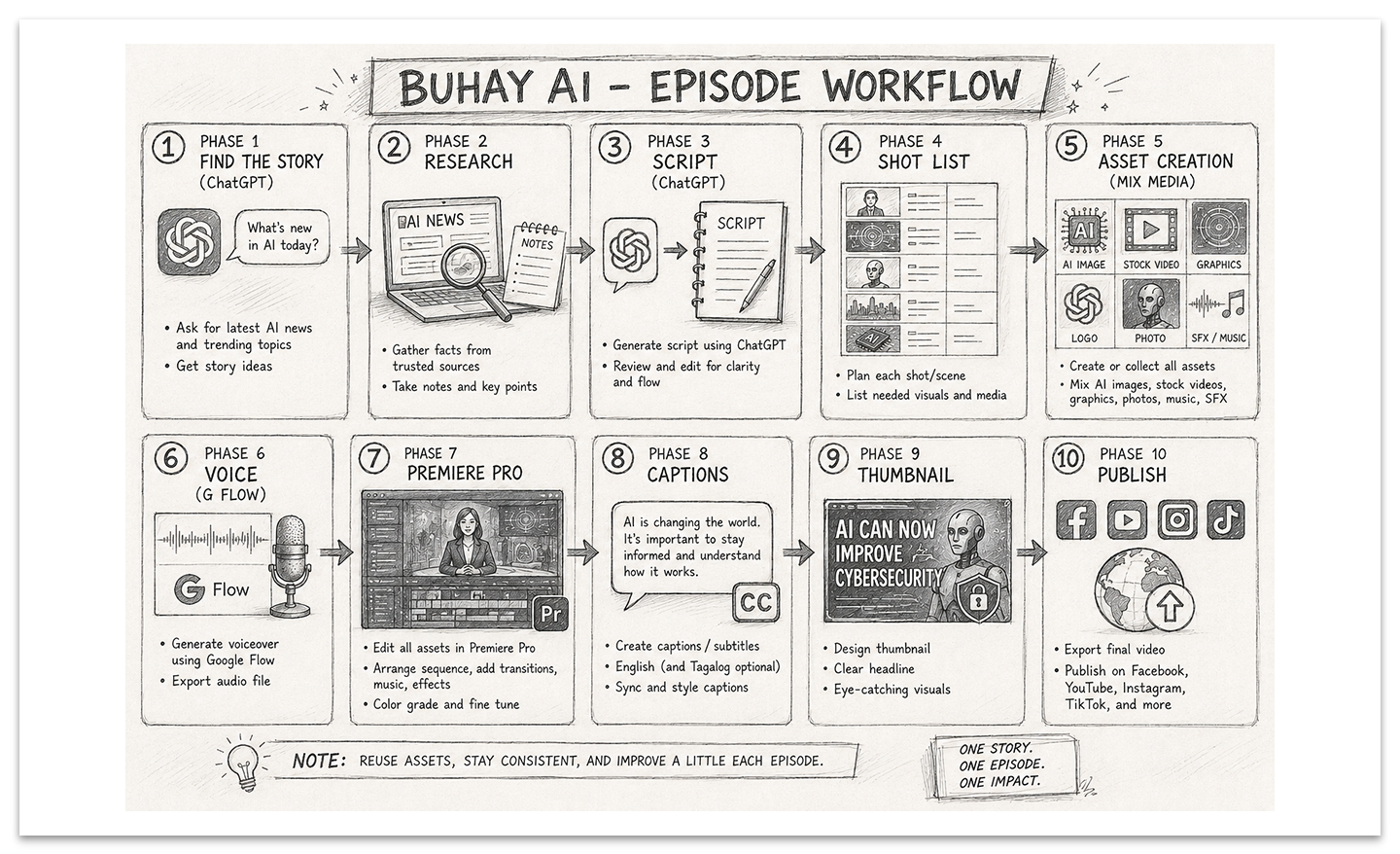
Workflow:
Phase 1 – Find the Story (ChatGPT)
Phase 2 – Research
Phase 3 – Script (ChatGPT)
Phase 4 – Shot List
Phase 5 – Asset (Mix Media)
Phase 6 – Voice (G FLow)
Phase 7 – Premiere Pro
Phase 8 – Captions
Phase 9 – Thumbnail
Phase 10 – Publish
→
Google Flow is powerful, but I think
creating a polished AI video still
requires patience, creativity,
and a lot of editing.