Storyboards in the AI World
Finalize your storyboard—or waste your AI credits. Which would you rather do?
Over the past few weeks, I've been experimenting with AI-generated images and videos for commercial advertisements. One thing became very clear:
The better your planning, the better your AI output.
Many people jump straight into generating images or videos, hoping AI will figure everything out. It won't. AI is incredibly powerful, but it still needs direction. That's where storyboarding becomes one of the most valuable steps in the entire production process.
Start by defining your workflow
Before opening any AI platform, decide what you actually need to create.
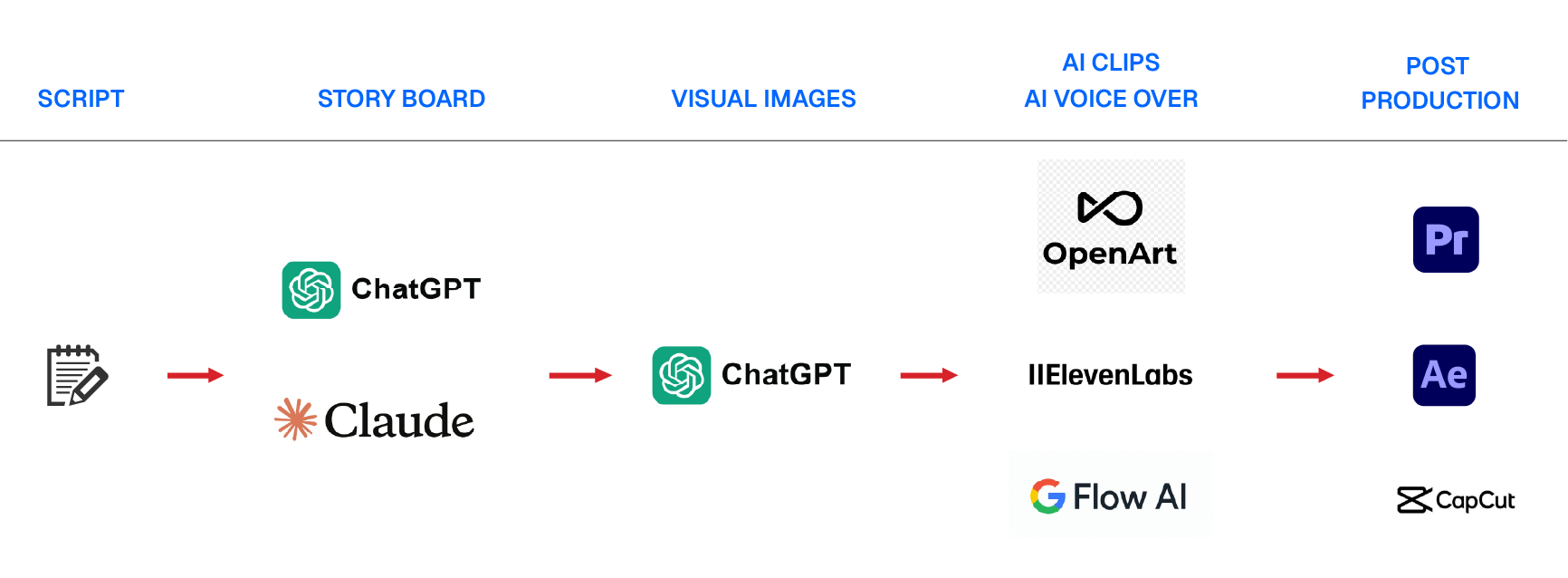
A simple workflow might look like this:
1. Write the script.
2. Create the storyboard (characters, settings, products, B-roll, and key scenes).
3. Choose the AI tools that best fit each task.
4. Finish with editing and post-production.
Every AI platform can help with part of the process, but each one has different strengths.
Here's an example of my current workflow.
Why storyboards matter more than ever?
The biggest mistake isn't using the wrong AI tool.
It's generating scenes before you've decided exactly what you need.
AI video generation isn't free. Depending on the platform and quality, a two-minute commercial can easily cost $60–$120 or more in generation credits.
Every unnecessary revision costs both money and time.
A finalized storyboard reduces that risk because everyone—the client, the designer, and the AI—shares the same vision before production begins.
Control your shots.
One lesson I learned is to be very specific about timing.
If a scene only needs to last five seconds, don't generate ten or fifteen seconds hoping to trim it later.
Instead, define:
• the camera angle
• character actions
• duration
• transitions
• dialogue or voice-over
• visual style
The more precise your storyboard, the less you'll spend regenerating scenes.
Clients approve storyboards—not expensive revisions
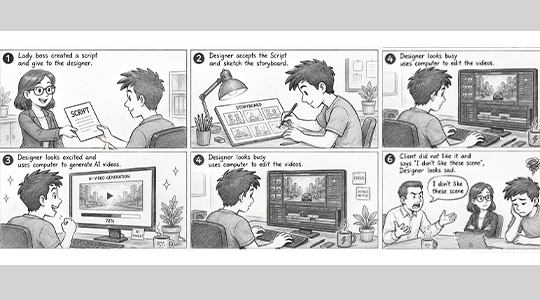
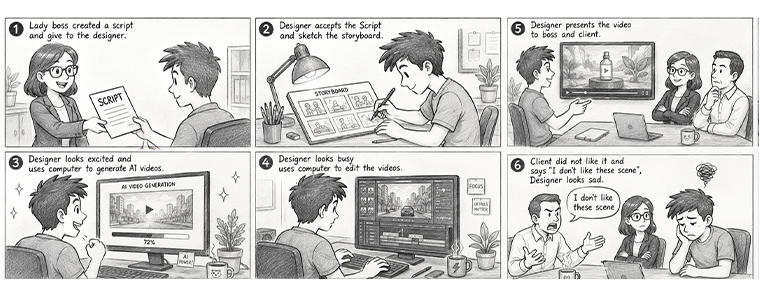
Imagine spending hours generating AI videos only to hear your client say: "I don't like this scene."
Now you're back to square one. More prompts. More generation time. More credits. A storyboard helps prevent this. Instead of presenting finished videos immediately, present the storyboard first. Discuss every scene, make revisions early, and only begin generating videos once everyone agrees on the direction. That's how you save time, money, and frustration.
Final Thoughts
AI has changed how we create content, but it hasn't replaced planning. If anything, pre-production has become even more important. A well-crafted storyboard doesn't just organize your ideas—it protects your budget, speeds up production, and gives your AI the direction it needs to produce better results. In the AI era, the cheapest revision is the one you make before pressing "Generate."